Notice
Recent Posts
Recent Comments
Link
| 일 | 월 | 화 | 수 | 목 | 금 | 토 |
|---|---|---|---|---|---|---|
| 1 | 2 | 3 | 4 | 5 | 6 | |
| 7 | 8 | 9 | 10 | 11 | 12 | 13 |
| 14 | 15 | 16 | 17 | 18 | 19 | 20 |
| 21 | 22 | 23 | 24 | 25 | 26 | 27 |
| 28 | 29 | 30 | 31 |
Tags
- 웹뷰
- VerticalMultiDragGestureRecognizer
- 크롬개발자도구
- 플러터
- Chrome Developer Tools
- 안보내짐
- TCP/IP모델
- Flutter
- TextFormField
- Set ID
- not working
- Could not create service of type FileAccessTimeJournal using
- gestureRecognizers
- StringUtils.isEmpty
- 안드로이드
- StringUtils.isBlank
- fullBackupContent
- 프로그래머스
- carousel slider
- 두 수의 나눗셈
- freezed
- 플루터
- 입력 커서
- project flow
- Flutter SDK
- 에러
- runSpacing
- 앱
- allowBackup
- foreground
Archives
- Today
- Total
흰오목눈이야 개발하자
[GitHub Review Pending] 깃허브 리뷰 펜딩 본문
문제
깃허브에서 코드 리뷰를 하던 도중에 코멘트를 작성하였으나 팀원이 보지 못하는 경우가 생겼다.
다른 부분은 PENDING이라는 새로운 태그가 옆에 붙어있어서 원인인 듯싶어 조사하게 되었다.
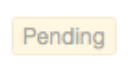
> Pending이란?
: 의역하자면 "보류 중인"이라고 보면 되겠다.
|
1.전치사 격식 (어떤 일이) 있을 때 까지, …을 기다리는 동안 2.형용사 미결[미정]인, 계류 중인 3.형용사 곧 있을, 임박한 (=imminent) 참조) https://en.dict.naver.com/#/entry/enko/d7376e421c1d4fe4bef5b196080b9ae2 |
원인
- 요약: 깃허브에서 리뷰를 할 코드 줄을 클릭하고 코멘트를 작성하고 나면 Pending이라는 태그가 붙는다.
Submit review를 하지 않으면 다른 사람들은 볼 수 없다.
해결
- 모든 리뷰가 끝났다면 프로젝트 탭에 있는 File changed - Review Changes - 해당하는 상태를 클릭(Comment/Approve/Request changes) - Submit review를 클릭하면 된다.


보충 설명
- 공식 사이트 설명:
Before you submit your review, your line comments are pending and only visible to you. You can edit pending comments anytime before you submit your review. To cancel a pending review, including all of its pending comments, scroll down to the end of the timeline on the Conversation tab, then click Cancel review.
: 리뷰를 제출하기 전에, 줄 코멘트는 PENDING 상태가 되며 오직 나만 볼 수 있다. 리뷰를 제출하기 전에 언제든지 Pending 상태인 코멘트를 수정할 수 있다. Pending 리뷰를 취소하기 위해서는 대화 탭에서 타임라인의 가장 아래로 스크롤을 내리고, Cancel Review를 클릭하면 된다.
Reviewing proposed changes in a pull request - GitHub Docs
About reviewing pull requests You can review changes in a pull request one file at a time. While reviewing the files in a pull request, you can leave individual comments on specific changes. After you finish reviewing each file, you can mark the file as vi
docs.github.com
'Git(깃)' 카테고리의 다른 글
| [Git Prune] Git Prune이란? (로컬의 원격 브랜치 갱신하기) (2) | 2022.09.20 |
|---|